Having trouble signing in?
The Lasso Platform uses Globus, a secure identity and authentication service, to log you in. Globus is commonly used for accessing research data and file-sharing services. You may already have a Globus account - if so, be mindful of potential login conflicts.
If you are experiencing any issues, follow the steps below.
Sign In Issues
IssueI am experiencing difficulties signing into the Lasso Platform.
- On the login page, click the "Institutional Sign In" button.
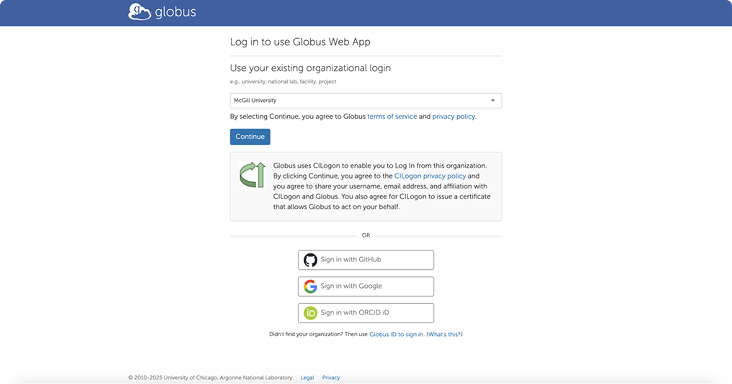
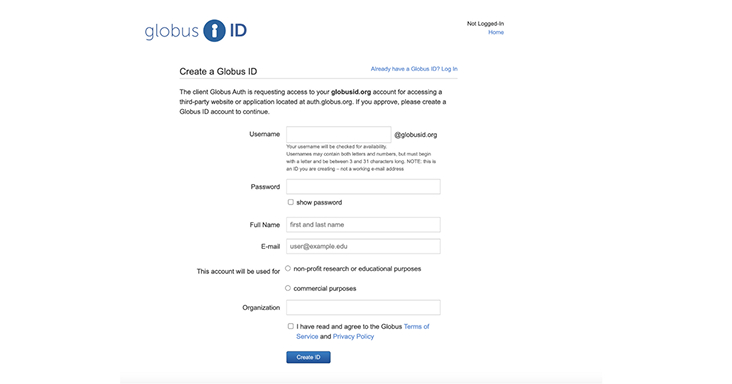
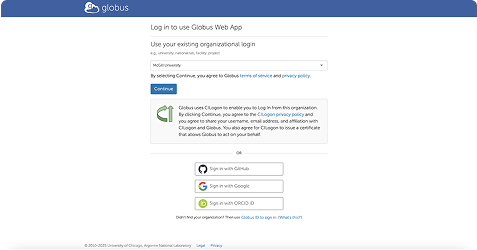
- From the drop-down menu, search for and select your organization. If your institution is not listed, you will need to create a Globus ID to proceed. You can register for a Globus account here: Create a Globus ID.
- Log in and authenticate using your institutional credentials.
- Once redirected to the Datasharing System, you will be prompted to review your details and create a username. Click "Submit." You will now be successfully signed into the system.
IssueI have already set up my Lasso account before.
You must remember which credentials you have used before and log in with those:
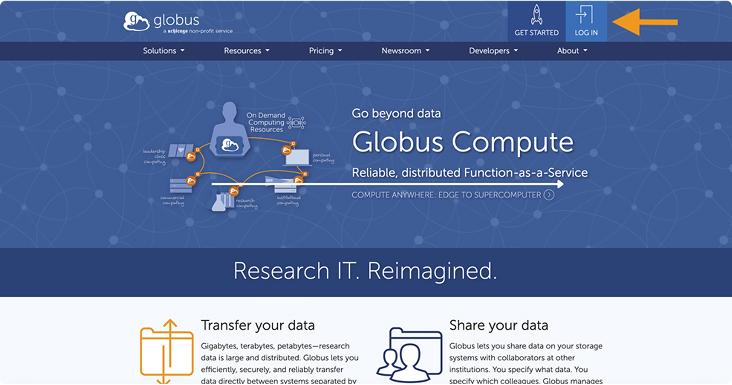
- Go to globus.org and log out of the current session.
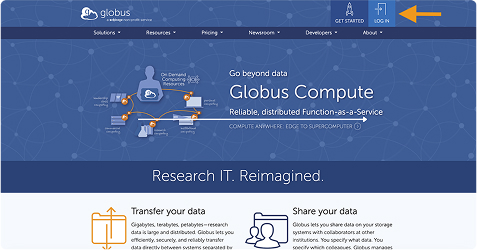
- From the homepage, click on Login and ensure you are using the institutional credentials associated with your existing account.
- After completing the steps above, click "Return to Login" to continue. Alternatively, you may choose to create a new account and reapply for a Data Use Certification.
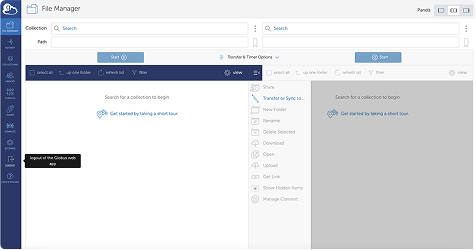
IssueI was not prompted for an institution selection during login.
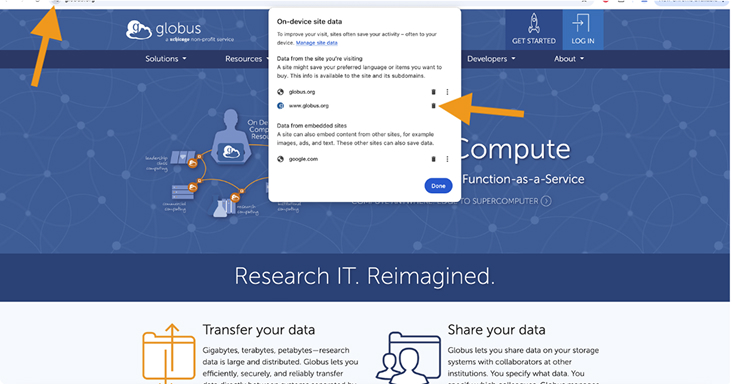
You may have already been logged in to globus.org on this session and the information was cached in your browser:
- Clear your cookies and site data for Globus.org.
- From the homepage, click on Login and proceed with the login using your institutional credentials.